Import your clips
Add a folder from your PC. Voycut looks through every clip for subjects, motion, lighting and the moments worth using.
AI VIDEO PLANNING · WINDOWS
Voycut watches your clips, plans the video around what you actually shot, and picks the best take for every beat. Then it hands you an editable project to finish in CapCut or DaVinci Resolve.
Free beta. Voycut doesn't export MP4: you export the final video in CapCut or DaVinci Resolve.
A REAL SESSION
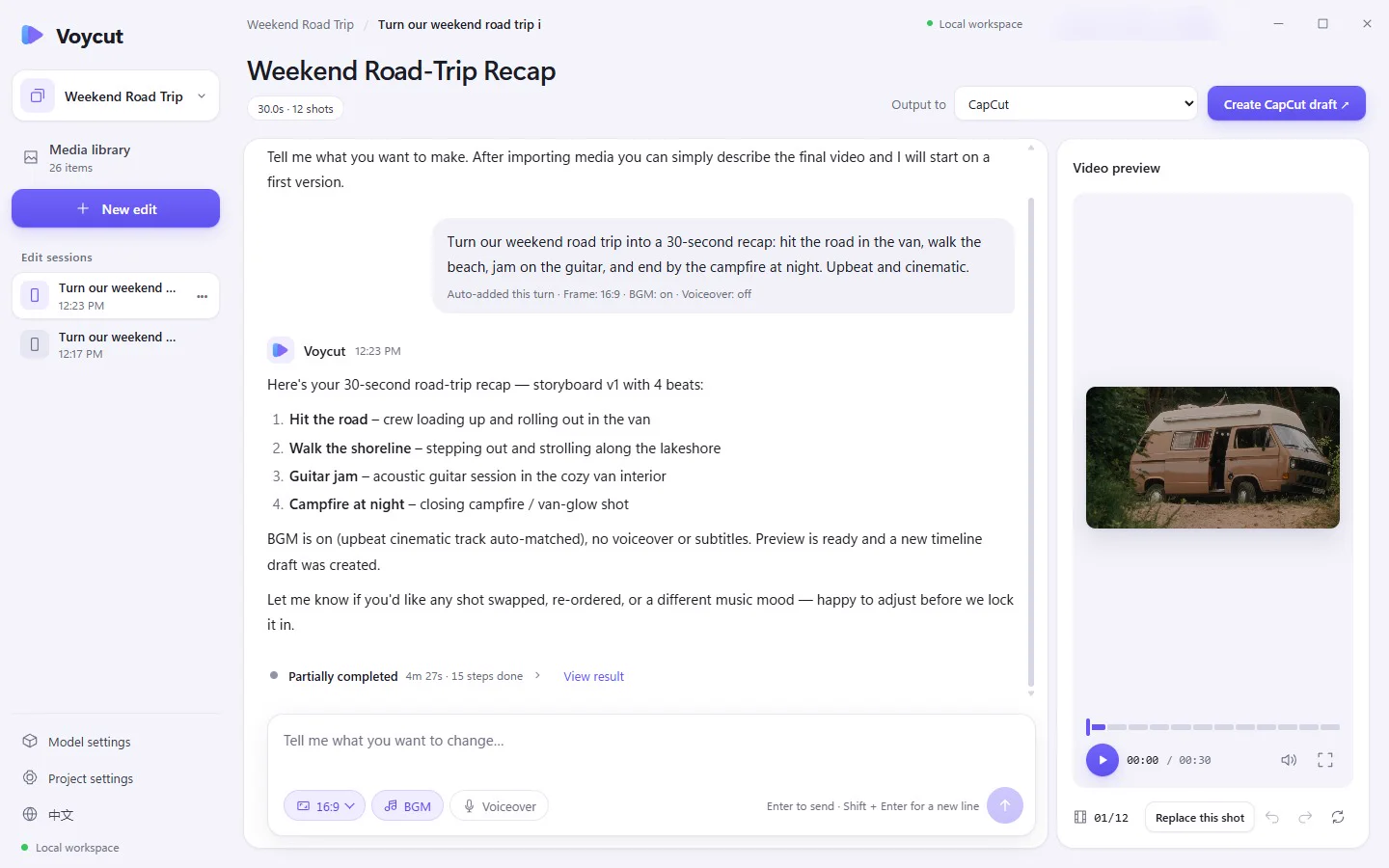
25 road-trip clips and one sentence became a 30-second, 12-shot first cut. This 23-second video is built from that session's screen recording.
Recorded in a development build of the Windows app: import, shot analysis, a one-sentence request and the resulting 16:9 plan. Analysis and generation are sped up and the account email is blurred. The closing montage shows the 12 shots Voycut picked, in its order, re-timed to the music for this video; titles and music were added afterwards. Footage by KoolShooters on Pexels (Pexels License); the people shown don't endorse Voycut. Music: “Need for Speed” by Arulo (Mixkit License).
HOW IT WORKS
Voycut does the part that eats your evening: going through every clip and deciding what goes where.
Add a folder from your PC. Voycut looks through every clip for subjects, motion, lighting and the moments worth using.
Describe the video you want. Voycut drafts a storyboard with sections, order and timing, and matches each beat to your footage.
For every beat it compares candidate shots side by side and trims each one to its strongest range. Swap any shot you don't like.
Open the project in CapCut or DaVinci Resolve for titles, color and the final export.
WHAT YOU GET
Voycut gives you a strong first version, not a finished video. The polish happens in the editor you already use.
Voycut exports projects compatible with CapCut and DaVinci Resolve. It isn't affiliated with or endorsed by ByteDance or Blackmagic Design.
FAQ
No. Voycut plans the cut and chooses the shots, then writes a project file. Open it in CapCut or DaVinci Resolve to add titles and color and to export the final video.
Your original files never leave your PC. To understand your clips, Voycut sends sampled still frames and text about your project to its AI model service. Your account is stored with Google Firebase. Details are in the Privacy Policy.
Short videos built from footage you shot yourself, like travel and lifestyle clips, product and brand promos, and behind-the-scenes cuts. It works best when you have more footage than you have time to sort through.
Yes, during the beta. Create an account on this site and verify your email. The Windows app signs in with the same email and password. There's nothing to pay. The beta shares one AI plan with a total usage cap, so AI features may be unavailable for a while if it fills up.
After you import, Voycut analyzes every clip in the background before it can plan with it. A few dozen clips can take several minutes, depending on your PC and your connection.
Not yet. Voycut currently runs on Windows 10 and 11.
VOYCUT FOR WINDOWS
For creators who shoot more than they have time to go through.